Download Business inMotion and register Business Account now
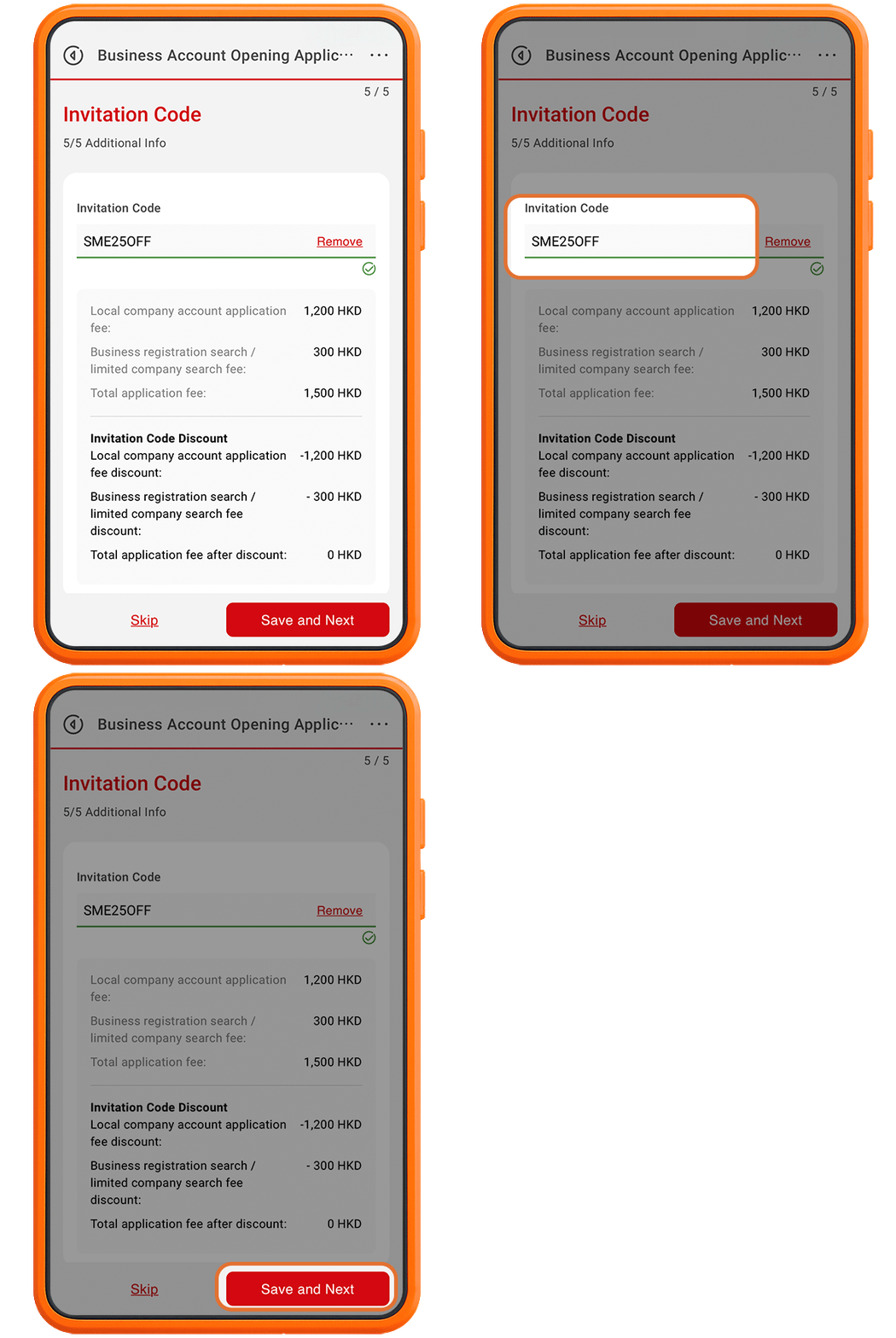
Enter the Invitation Code of “IMSMEA50” at Business inMotion app to enjoy 50% waiver of account opening fee and company search fees.


Hyperlinks from this Site to websites outside China CITIC Bank International
These hyperlinks will bring to you to another website on the Internet, which is published and operated by a third party which is not owned, controlled or affiliated with or in any way related to China CITIC Bank International Limited (the "Bank"). The hyperlink is provided for your convenience and presented for information purposes only. The provision of the hyperlink does not constitute endorsement, recommendation, approval, warranty or representation, express or implied, by the Bank of any third party or the hypertext link, product, service or information contained or available therein. The Bank does not have any control (editorial or otherwise) over the linked third party website and is not in any way responsible for the contents available therein. You use or follow this link at your own risk. To the extent permissible by law, the Bank shall not be responsible for any damage or losses incurred or suffered by you arising out of or in connection with your use of the link. Please be mindful that when you click on the link and open a new window in your browser, you will be subject to the terms of use and privacy policies of the third party website that you are going to visit.
Enter the Invitation Code of “IMSMEA50” at Business inMotion app to enjoy 50% waiver of account opening fee and company search fees.


"Business inMotion" Business Account Opening Application
Enjoy 50% waiver of account opening fee
and company search fees
"Business inMotion" Business Account Opening Application
Enjoy 50% waiver of account opening fee and company search fees
From 1 Jul 2026 to 31 Dec 2026 (both dates inclusive), new SME customer can enjoy 50% waiver of account opening fee and company search fee by using the Invitation Code of “IMSMEA50” when opening a business account opening via Business inMotion.
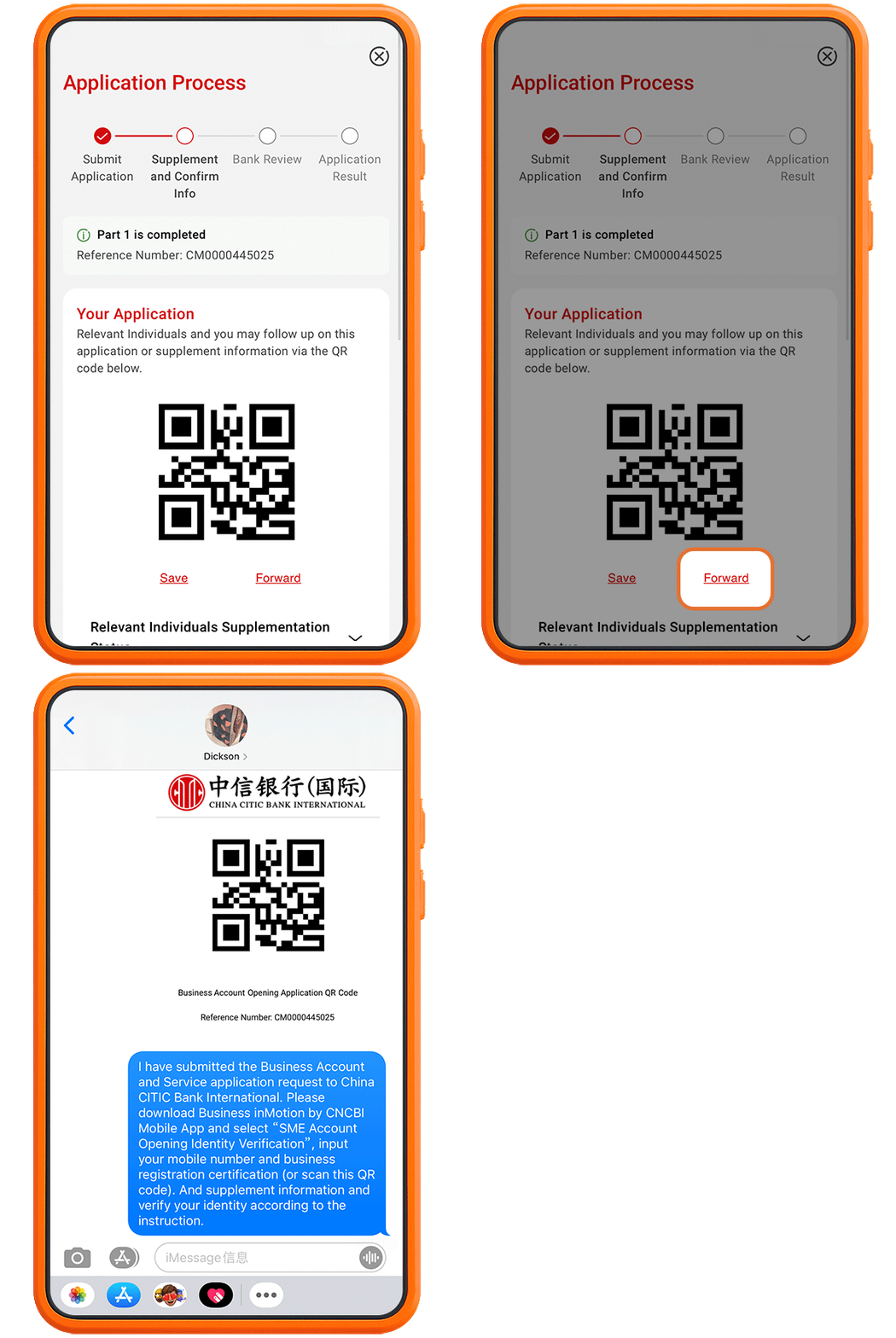
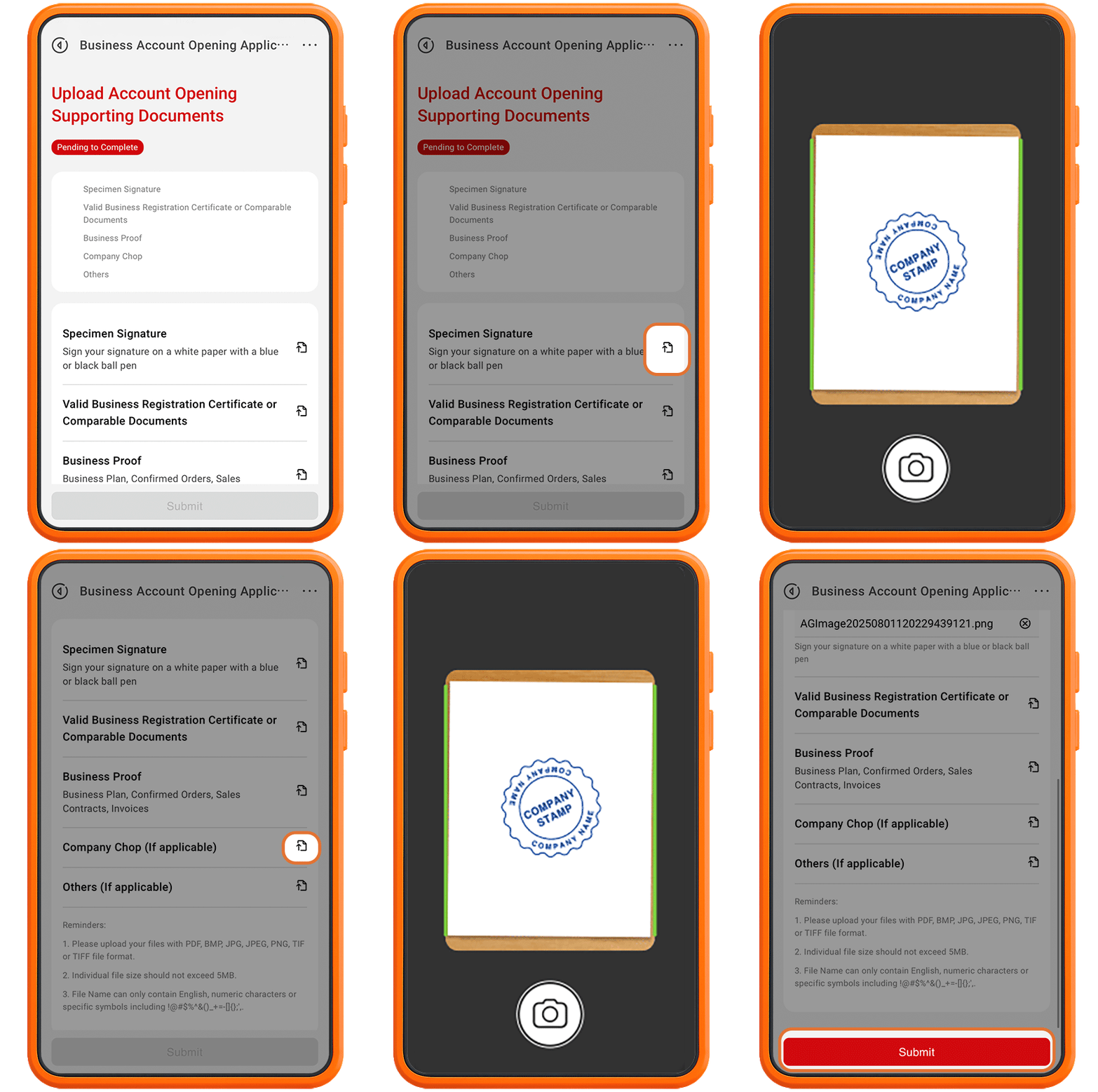
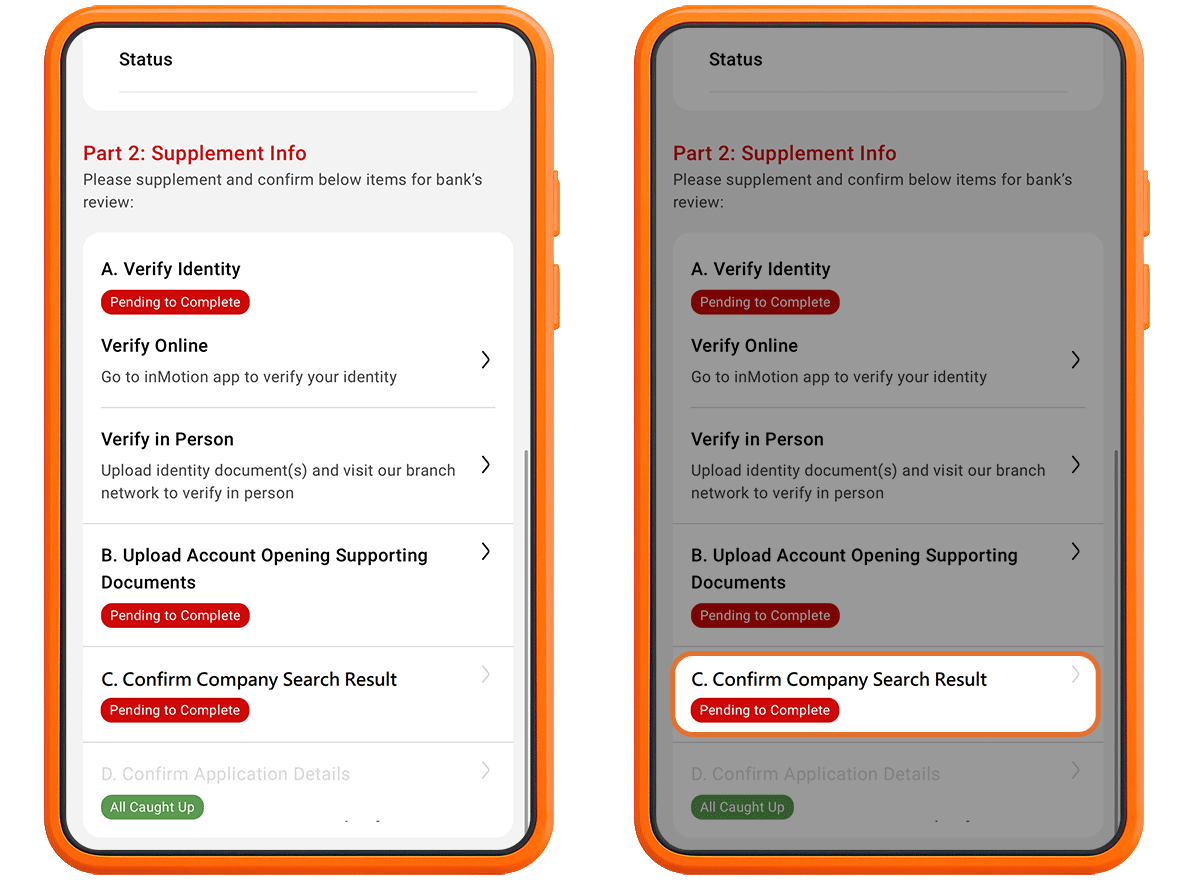
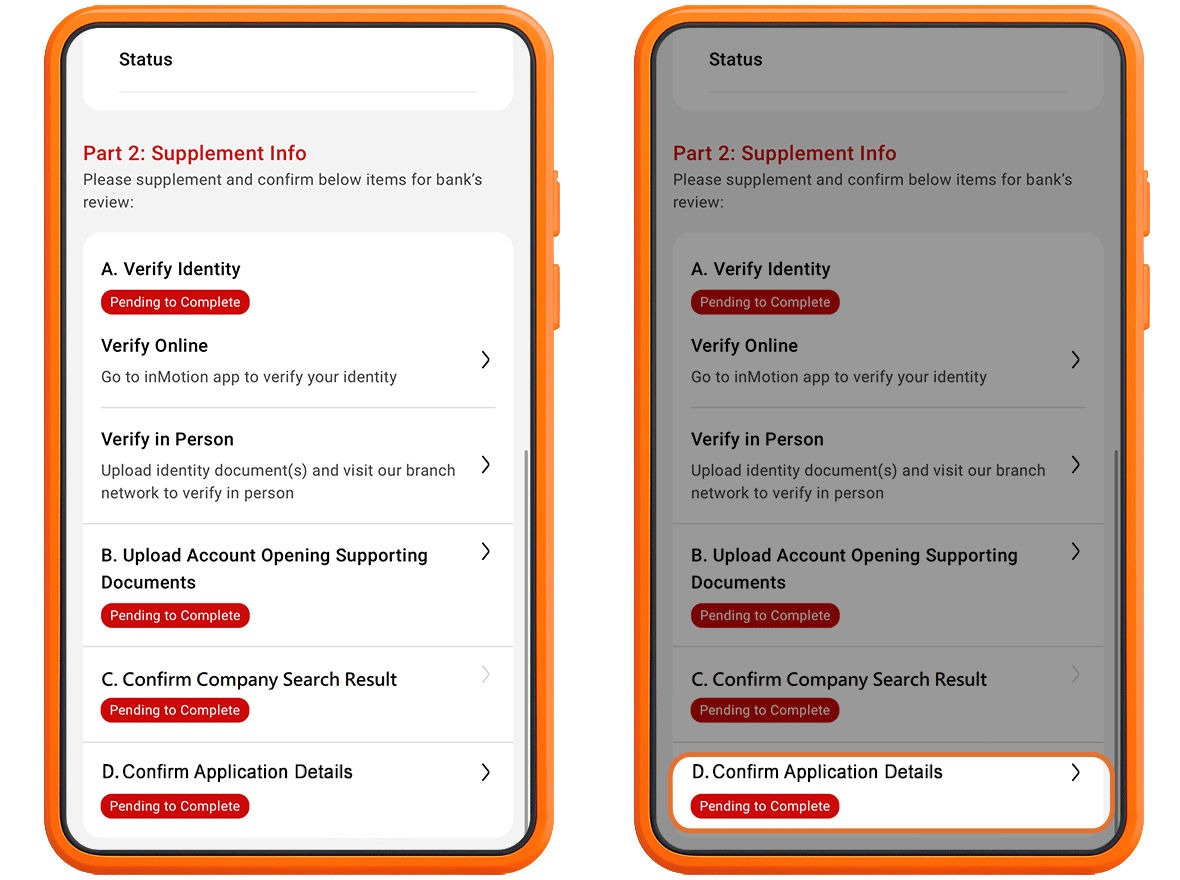
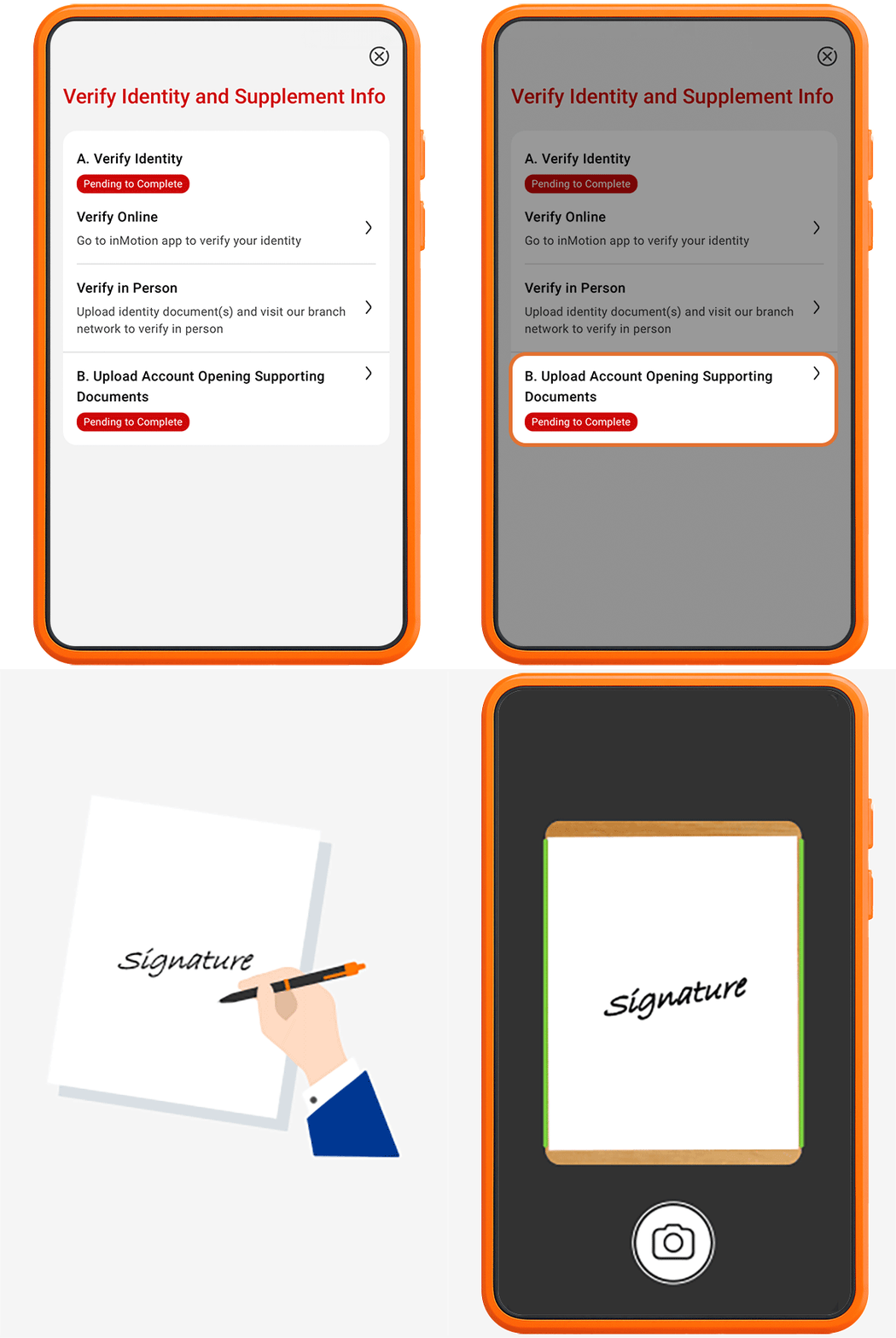
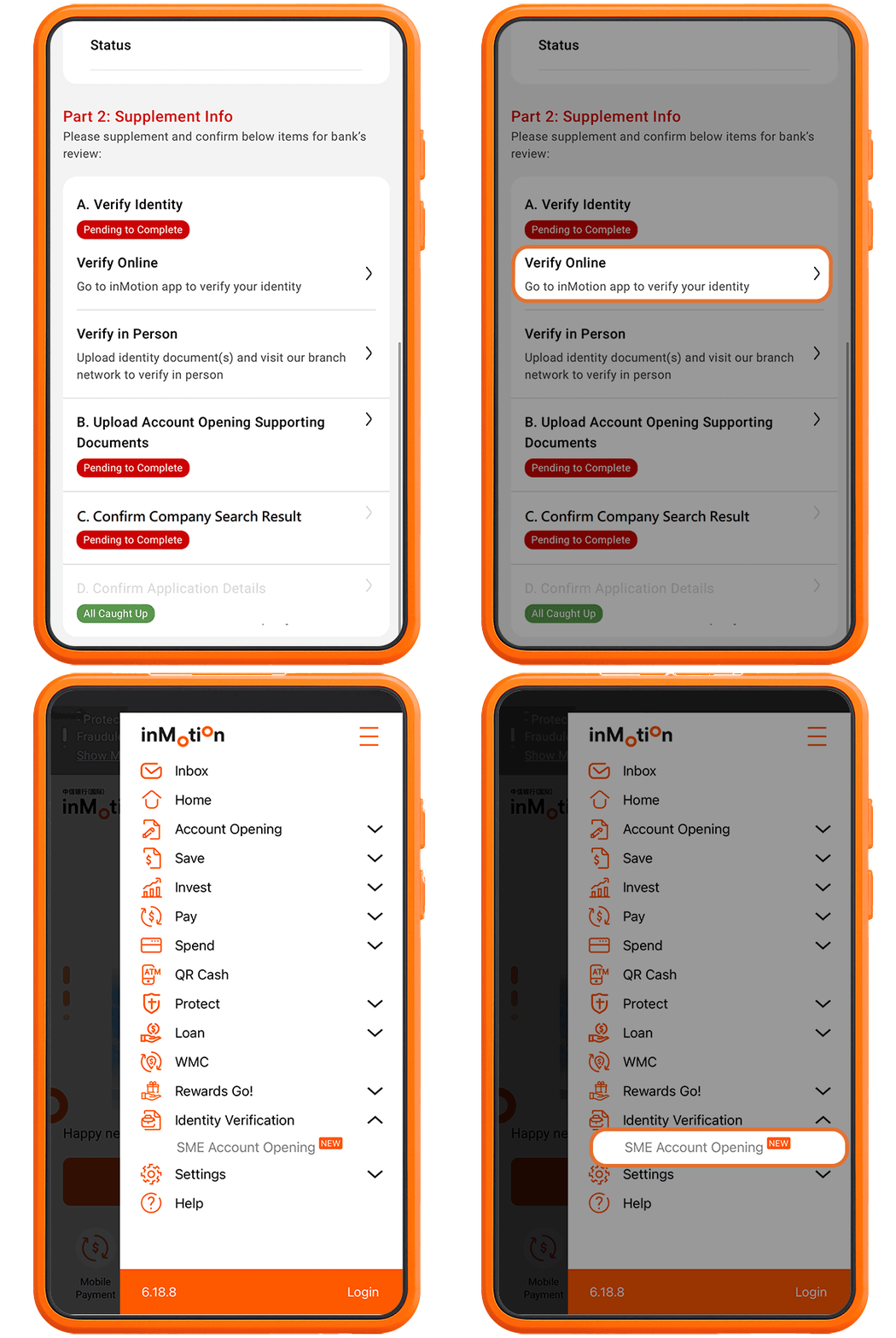
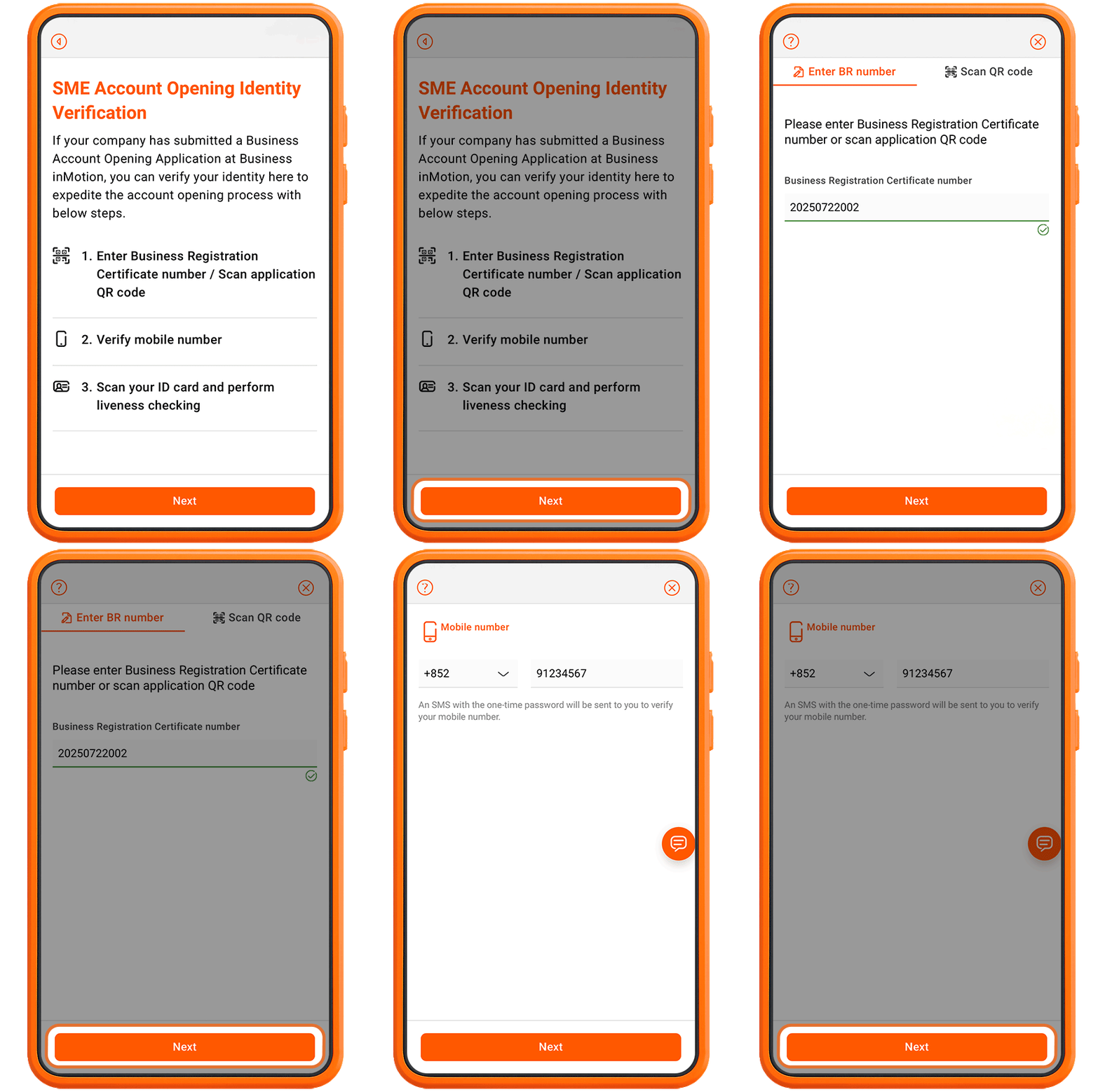
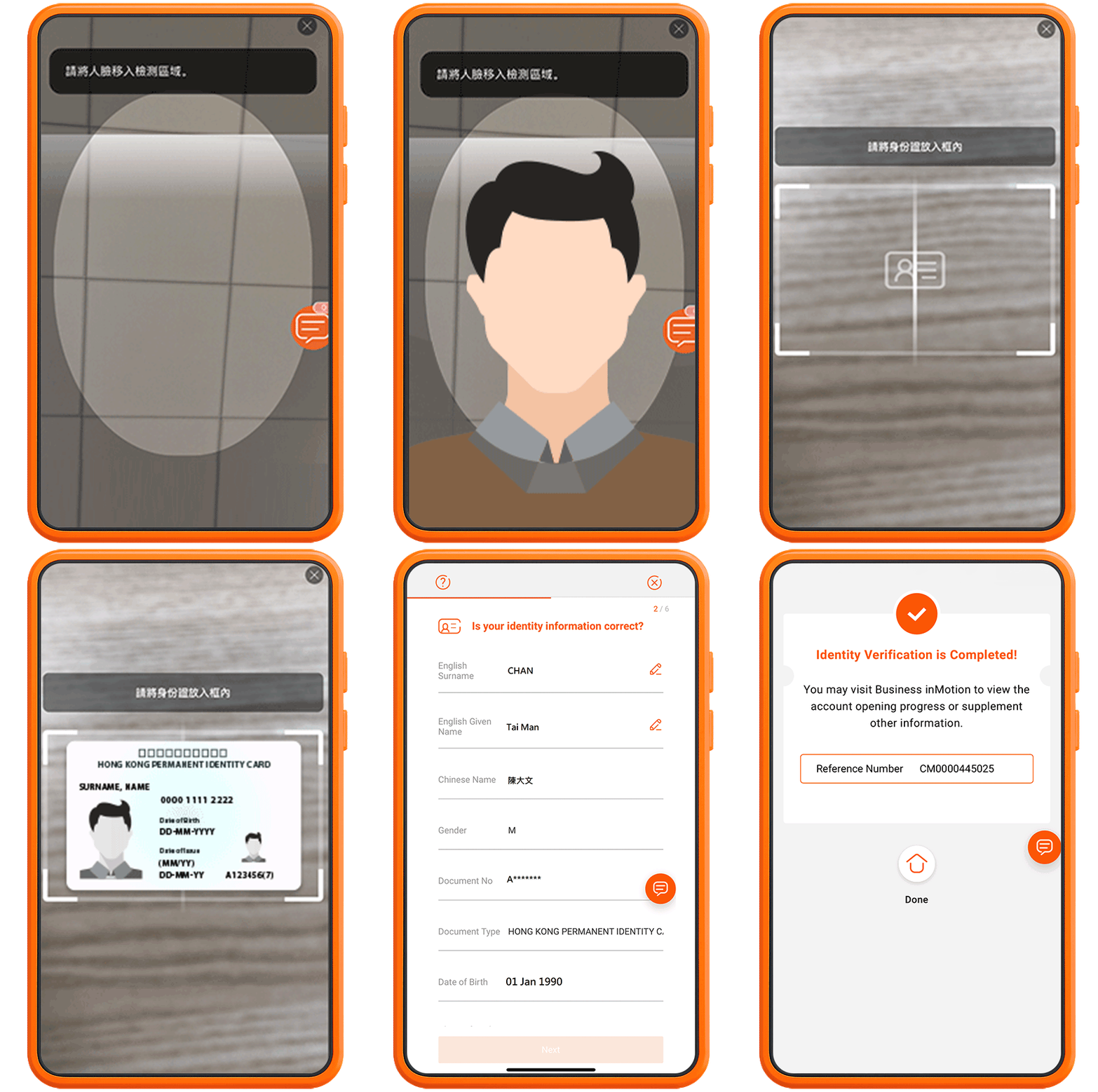
China CITIC Bank International is now launching a new online service for opening commercial accounts for eligible SME customers*. Customers can conveniently apply to open a commercial account anytime, anywhere through Business inMotion, our mobile banking platform. Through Business inMotion, customers can fill out the application form and upload the necessary company documents, complete online identity verification on inMotion. It's simple and fast.
We understands that every company has its unique financial needs. That's why we offer a range of account options, from current accounts to comprehensive accounts, to help you achieve smart and independent financial management. You can apply for the following commercial accounts through Business inMotion, our mobile banking platform, and also enjoy various privileges by activating commercial online banking services.
During the promotional period, customers who successfully open a commercial account through Business inMotion, our mobile banking platform, can enjoy preferential exchange rates, special deposit interest rates, and discounted remittance fees.

The Business NOW Account is a new concept for your company finances. It consolidates banking and credit facility services in one easy-to-manage account, including:

With our Multi-currencies Statement Savings Accounts, it's never been easier to enjoy all the benefits and high returns gained from saving in different currencies. To provide you with maximum freedom of choice, we offer you a choice of up to 12 foreign currencies*. You can enjoy:

China CITIC Bank International offers time deposits in both Hong Kong Dollars and foreign currencies. You can choose from a range of 12 currencies and take advantage of these outstanding benefits:

Simple and convenient business online banking services that allow you to effectively manage your company's accounts and cash flow anytime, anywhere.
The main features and operations include:


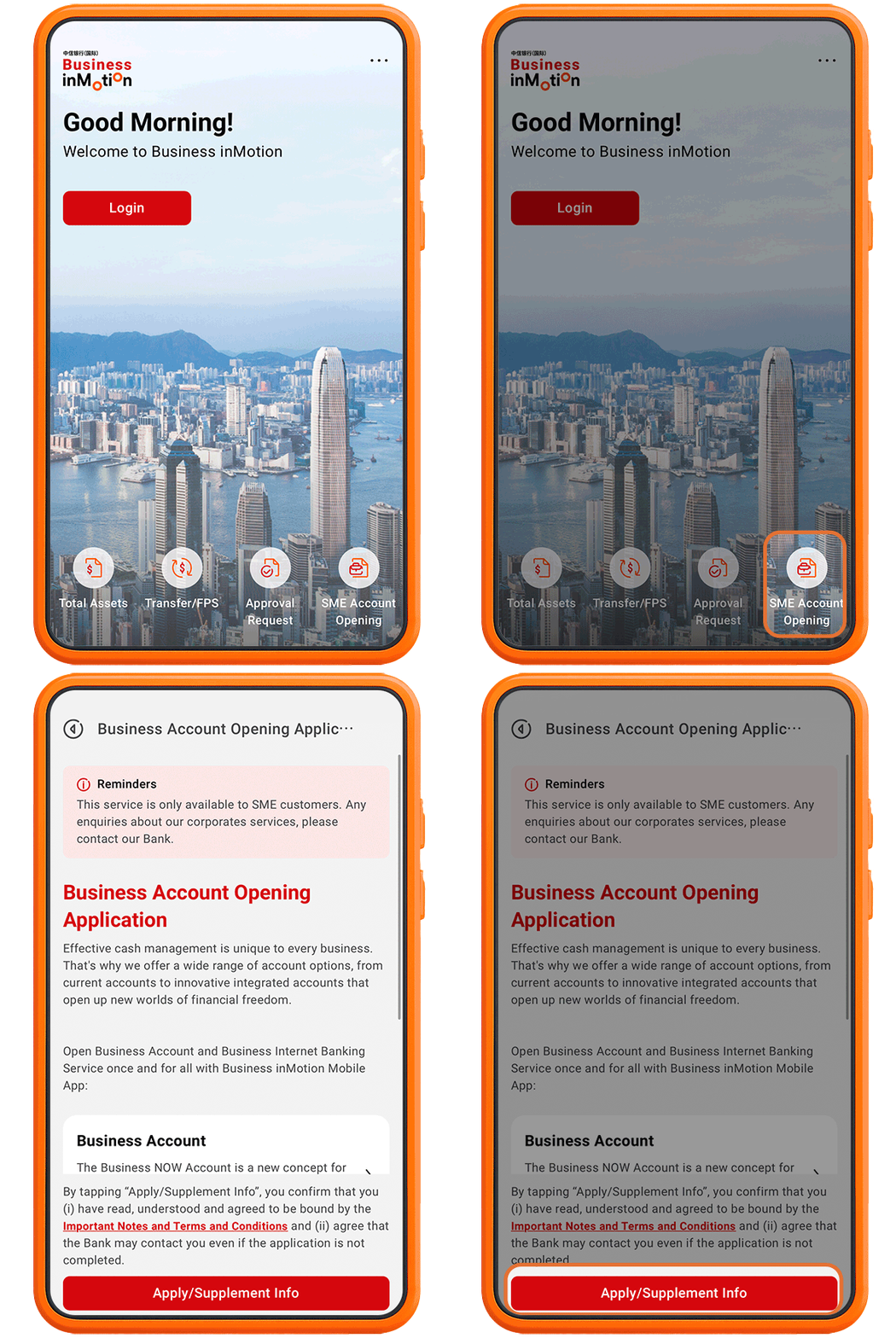
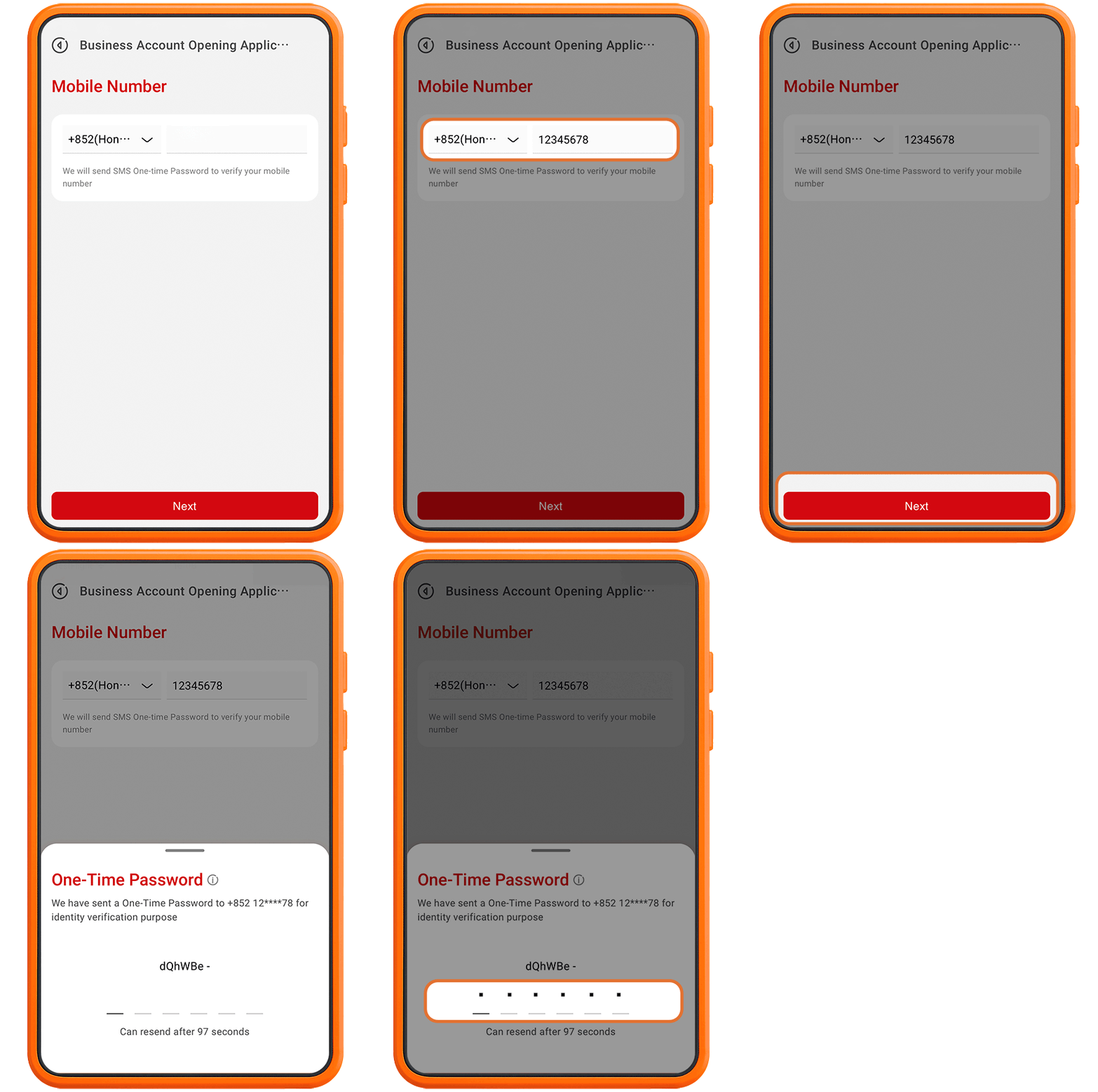
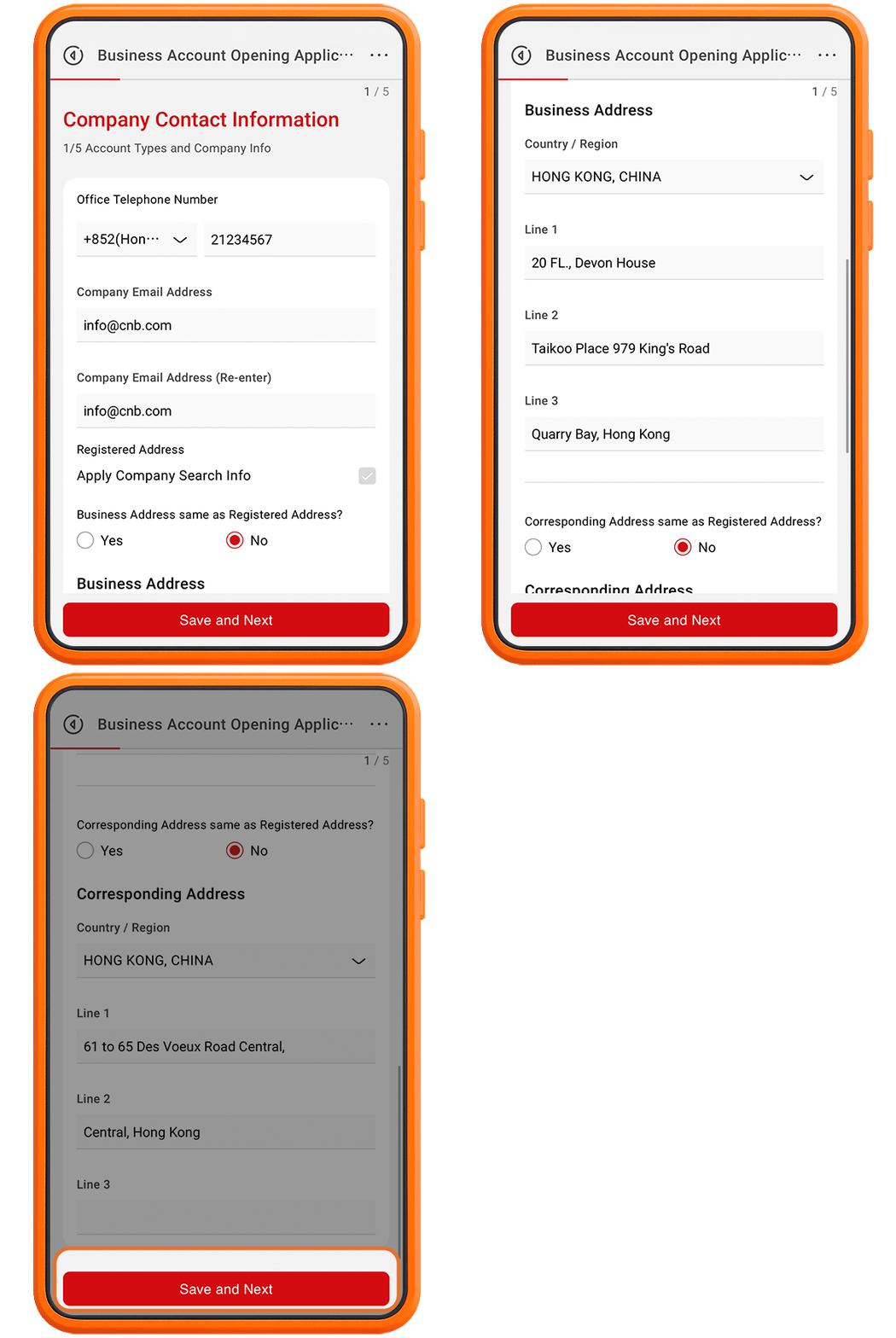
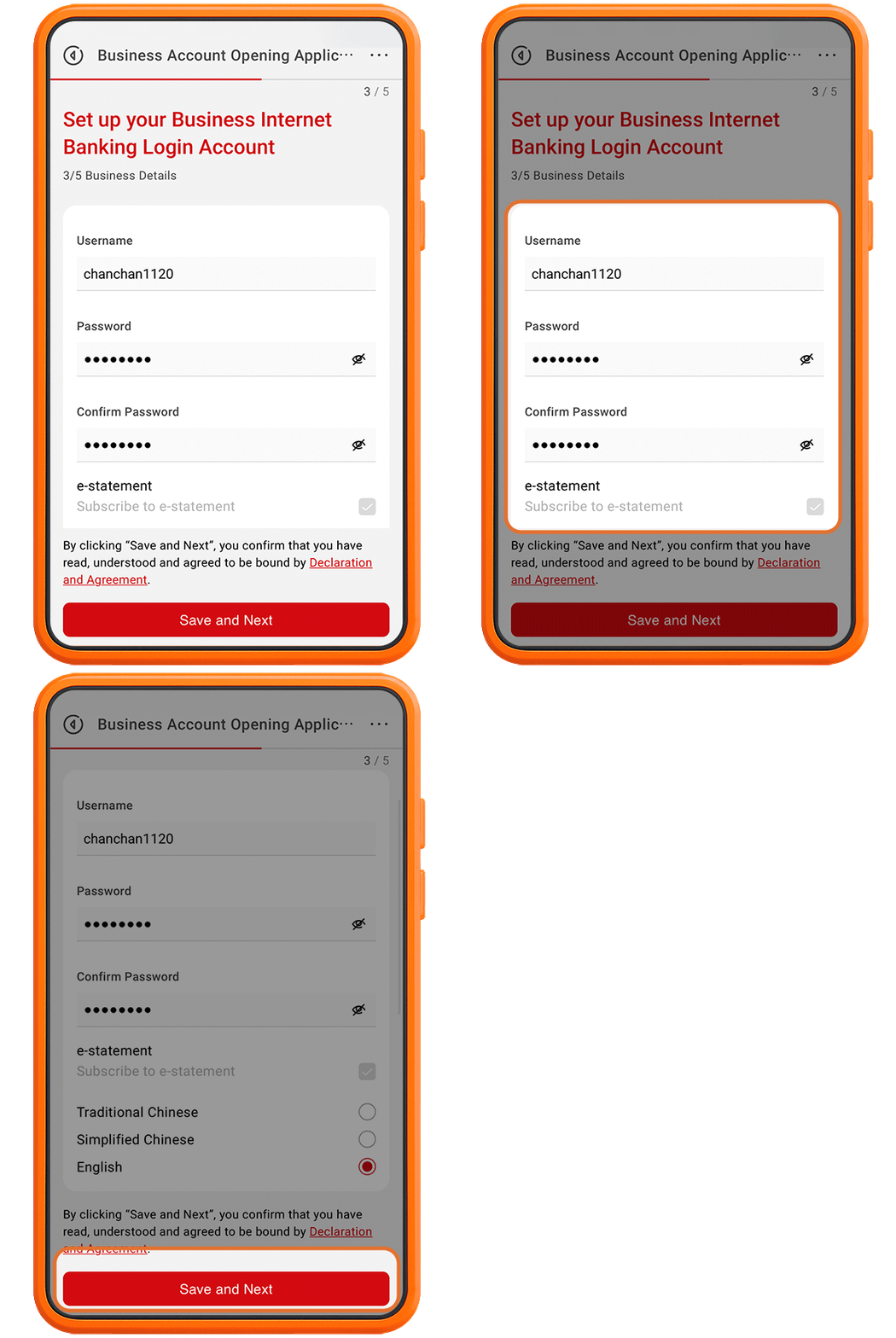


Note:
"Business inMotion" Business Account Opening Application service is available to limited company, partnership and sole proprietorship. The Company should be registered/incorporated in Hong Kong and all relevant individual(s) should be natural person with valid HKID card or PRCID card.
For other customers, you can click here to make appointment for business account opening.
Please click here to learn about the recent service charges details of the bank.
Please click here for the terms and conditions for Business Now Account Opening Offer. For any inquiries, please call our bank at (852) 2287 6868.

3/F, The Chinese Bank Building,
61 to 65 Des Voeux Road Central, Hong Kong
Tel: (852) 2287 6868
Service Hours: Monday – Friday: 9:00am – 5:00pm
Unit 2102, 21/F, iSQUARE,
63 Nathan Road, Tsim Sha Tsui, Kowloon
Tel: (852) 2287 6868
Service Hours: Monday – Friday: 9:00am – 5:00pm

For customers located in China, please click here to download APK.
Remarks: Some hyperlinks allow you to leave China CITIC Bank International Limited website. Please read our Hyperlink Policy.
Apple and the Apple logo are trademarks of Apple Inc., registered in the U.S. and other countries. App Store is a service mark of Apple Inc., registered in the U.S. and other countries. Google Play and the Google Play logo are trademarks of Google LLC.