Back to inMotion home
Download Now
menu button
  • Service Features
  • Exclusive Offers
  • inMotion Tutorial
  • Download Now
  • 繁 | 简
inMotion - Manage your everyday banking needs with ease and intelligence.

Key Features

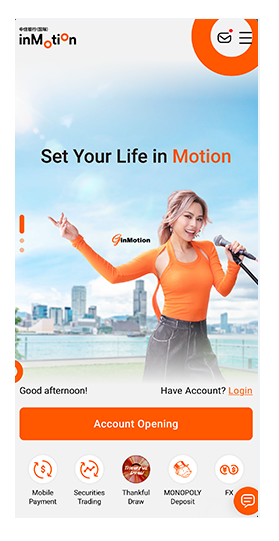
Account Opening
via mobile phone
Easily open your account online with inMotion, ensuring a seamless and efficient onboarding experience.
Learn More >
Account One View
View your account information from other banks via inMotion with Interbank Account Data Sharing (“IDAS”)
Learn More >
FPS
Simply input mobile number, email address, FPS Identifier or QR code, you can enjoy 7x24 pay and receive money instantly anytime and anywhere
Learn More >
PN Notification
Function
Stay updated with the latest announcements, news, and promotions from the bank through timely notifications via inMotion
Learn More >
Personalized
Background and
Homepage
Function
Customize your inMotion experience with a personalized homepage and background, making banking uniquely yours
e-Statement
Access
View your e-statements anytime with inMotion and up to past 6 months conveniently
Learn More >
inMotion Securities
Utilize advanced security features like biometrics authentication & device binding, ensuring safe transactions and peace of mind
Learn More >
Get started with inMotion!
Download now to manage
your wealth with ease
Download via App
Store or Google Play
or click here
to download Android
APK

Esay Steps To Start Using inMotion

Account opening for New Customer iBanking First Time Registration
Please select your ID card type:
HKID Holders
  • 1.Download and start using inMotion app
  • 2.Click “Account Opening” and select “Account Opening for HKID Holder”
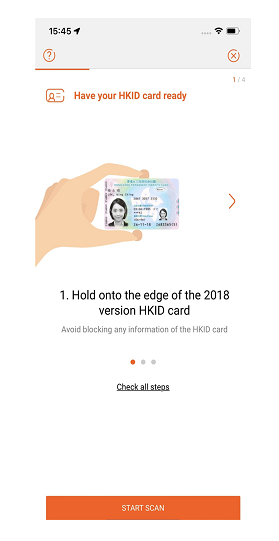
  • 3.Follow the instructions to scan your HKID
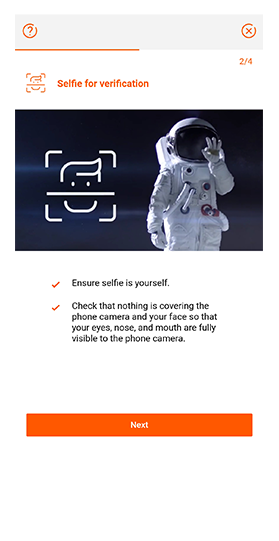
  • 4.Take a selfie for identity verification
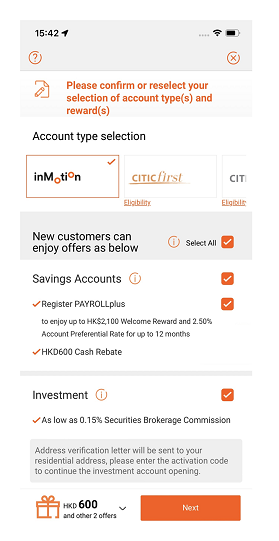
  • 5.Select account(s) to open
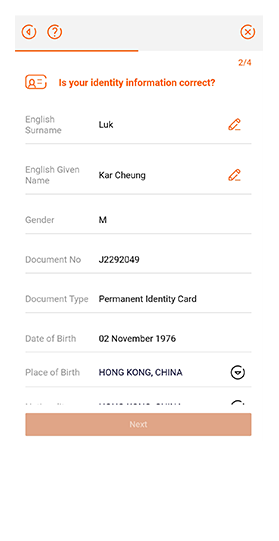
  • 6.Fill in and confirm your information
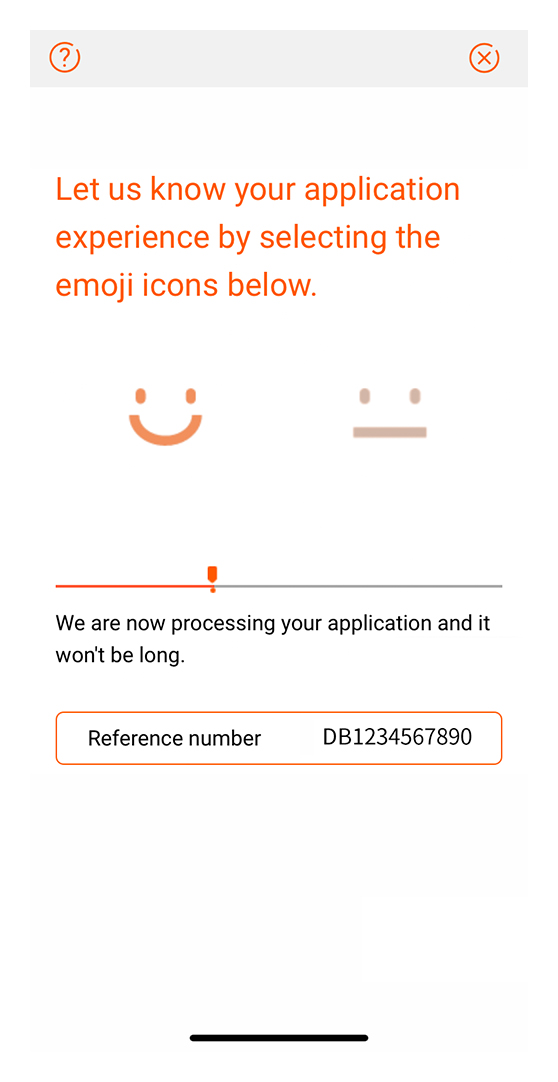
  • 7.Account opening is completed
The screens are for your reference only.
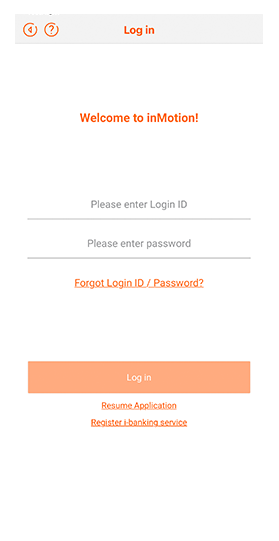
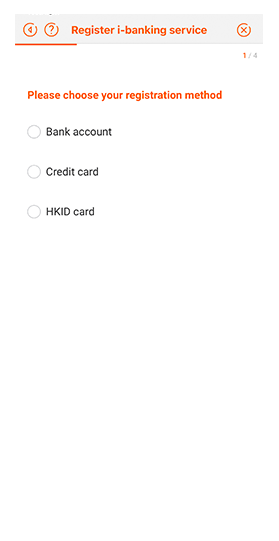
  • 1.Download inMotion, Tap “Login inMotion” and Click “Register i-banking service”
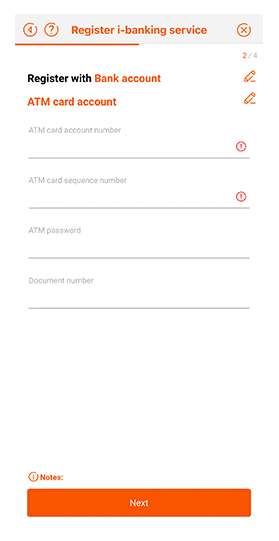
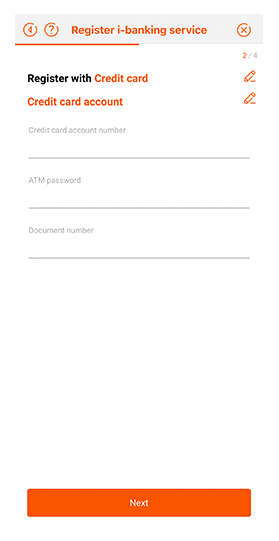
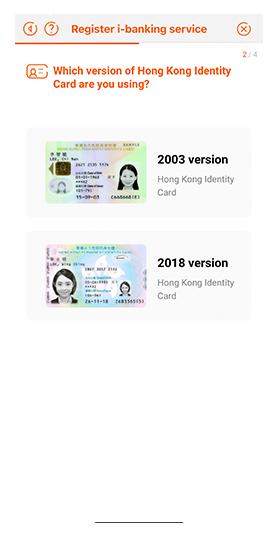
  • 2.Choose your registration method:
  • 2.iIf you choose Bank account, you may register with ATM Card account and PIN / Phone Banking account and PIN / PIN Mailer collected at branch
  • 2.iiIf you only have a credit card with the Bank, you may register with credit card number and the corresponding ATM PIN
  • 2.iiiIf you choose HKID card, you may register through identify card scanning and selfie
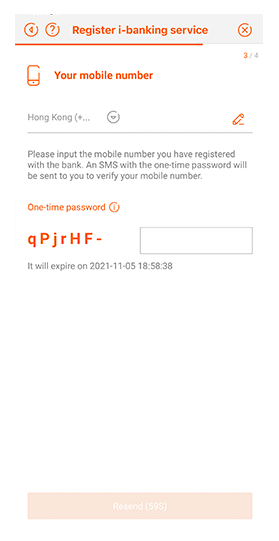
  • 3.Input your mobile number registered with the bank and request for an SMS one-time password
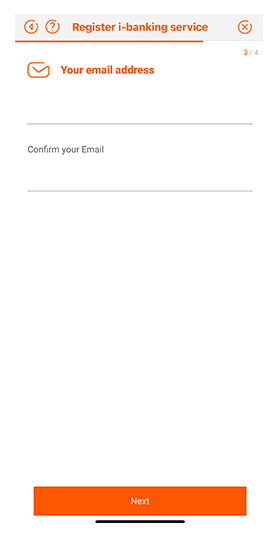
  • 4.Input your email address
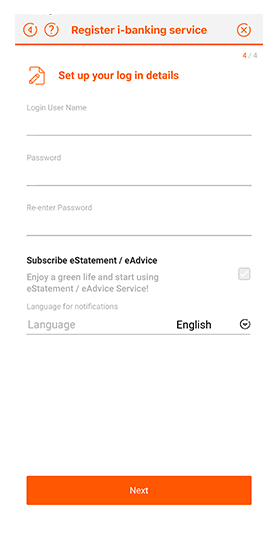
  • 5.Create your own login ID and password
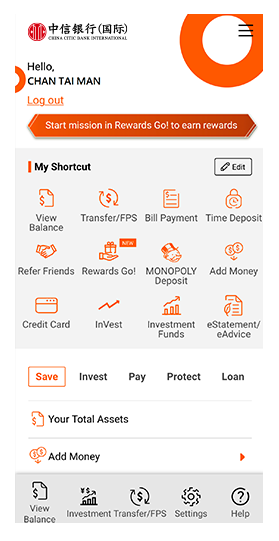
  • 6.Registration is completed and you can now access i-banking


The screens are for your reference only.

About Us

About inMotion FAQ Terms and Conditions

Useful Links

CNCBI Homepage Bank Service Fees & Charges Investment Products Service Fees & Charges General Terms and Conditions Personal Information Collection Statement Privacy Policy Statement Disclaimer Online Security Regulatory Disclosures Code of Banking Practice

Contact Us

+852 2287 6767 inMotion App Live Chat* Branch Network
* Notes: Your Live Chat conversations will be recorded for the purpose of training, quality monitoring, disputes handling, etc. By clicking “Live Chat”, you confirm that you have read, understood and agreed to be bound by the Bank’s Terms and Conditions for Live Chat.
Download via App Store or Google Play or
click here to download Android APK

Remarks: Some hyperlinks allow you to leave China CITIC Bank International Limited website. Please read our Hyperlink Policy.
Apple and the Apple logo are trademarks of Apple Inc., registered in the U.S. and other countries. App Store is a service mark of Apple Inc., registered in the U.S. and other countries. Google Play and the Google Play logo are trademarks of Google LLC. Huawei Services (Hong Kong) Co., Limited. HUAWEI EXPLORE IT ON AppGallery and the HUAWEI EXPLORE IT ON AppGallery logo are the registered trademarks of Huawei Technologies Co., Limited.


© 中信銀行(國際)有限公司版權所有。 
© China CITIC Bank International Limited. All rights reserved.
×
Download via App Store or Google Play or
click here to download Android APK
Remarks: Some hyperlinks allow you to leave China CITIC Bank International Limited website. Please read our Hyperlink Policy.
Apple and the Apple logo are trademarks of Apple Inc., registered in the U.S. and other countries. App Store is a service mark of Apple Inc., registered in the U.S. and other countries. Google Play and the Google Play logo are trademarks of Google LLC. Huawei Services (Hong Kong) Co., Limited. HUAWEI EXPLORE IT ON AppGallery and the HUAWEI EXPLORE IT ON AppGallery logo are the registered trademarks of Huawei Technologies Co., Limited.
×

Hyperlink Policy

Hyperlinks from this Site to websites outside China CITIC Bank International

These hyperlinks will bring to you to another website on the Internet, which is published and operated by a third party which is not owned, controlled or affiliated with or in any way related to China CITIC Bank International Limited (the "Bank"). The hyperlink is provided for your convenience and presented for information purposes only. The provision of the hyperlink does not constitute endorsement, recommendation, approval, warranty or representation, express or implied, by the Bank of any third party or the hypertext link, product, service or information contained or available therein. The Bank does not have any control (editorial or otherwise) over the linked third party website and is not in any way responsible for the contents available therein. You use or follow this link at your own risk. To the extent permissible by law, the Bank shall not be responsible for any damage or losses incurred or suffered by you arising out of or in connection with your use of the link. Please be mindful that when you click on the link and open a new window in your browser, you will be subject to the terms of use and privacy policies of the third party website that you are going to visit.